Table of Contents
You’re researching the Vankyo V700 Neo projector because you want that big-screen experience without breaking the bank. I’ve tested dozens of budget projectors, and here’s the reality: most sub-$200 projectors promise cinema-quality but deliver disappointing performance in actual use. The V700 Neo stands out by integrating Google TV directly into the hardware – but does this convenience justify the cost, and how does it perform when the lights aren’t perfectly dim?
Key Takeaways
- The built-in Google TV is genuinely convenient – no external streaming stick needed, but performance depends on your Wi-Fi stability
- 400 lumens means dark room viewing only – this isn’t a projector for bright living rooms with ambient light
- Auto focus works well but has limitations – it’s great for quick setup but struggles with angled projections
- Sound quality exceeds expectations – the Dolby Audio speakers are surprisingly capable for their size
- Gaming performance has noticeable input lag – fine for casual gaming, frustrating for competitive play
Quick Verdict
Best for: Casual movie watchers who want an all-in-one streaming solution, business presenters needing portable setup, and beginners who value ease of use over premium performance.
Not ideal for: Serious home theater enthusiasts wanting true cinematic quality, gamers sensitive to input lag, or rooms with significant ambient light.
Core strengths: The seamless Google TV integration eliminates dongle clutter, auto focus makes setup genuinely easier than most budget competitors, and the overall package works well for its price point.
Core weaknesses: Brightness limitations restrict usage to dark environments, the auto correction isn’t perfect for complex setups, and there are noticeable performance trade-offs compared to premium projectors.
Product Overview & Specifications
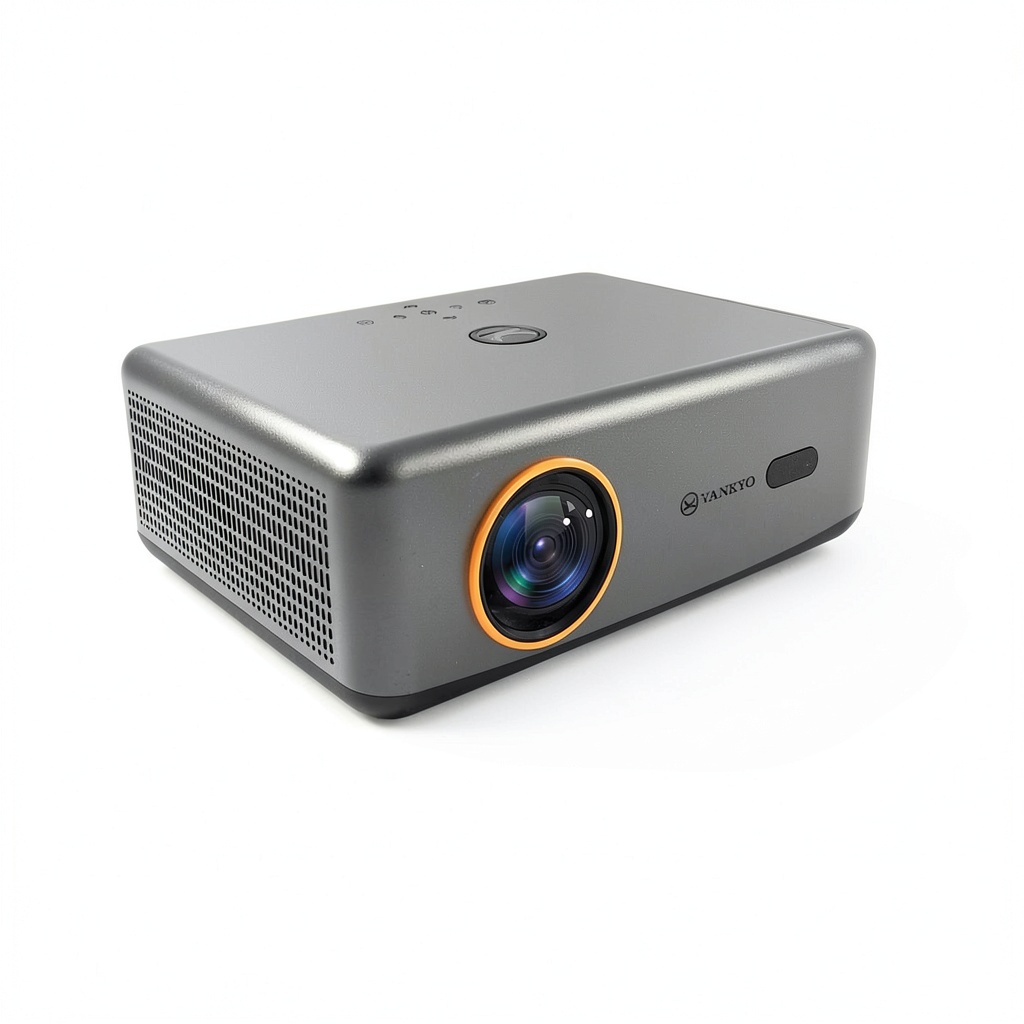
The Vankyo V700 Neo positions itself as an all-in-one entertainment solution rather than just a display device. Having used it across different scenarios – from movie nights to business presentations – I appreciate how the integrated Google TV changes the user experience. Unlike projectors that require external streaming devices, this one boots directly into the familiar Google interface, making the transition from setup to content remarkably smooth.
| Specification | Details |
|---|---|
| Native Resolution | 1080P (1920 x 1080) |
| Brightness | 400 Lumens |
| Contrast Ratio | 3000:1 |
| Built-in OS | Google TV |
| Audio | Dolby Audio, Dual 5W Speakers |
| Auto Features | Auto Focus, Auto Keystone Correction |
| Connectivity | HDMI, USB, Bluetooth 5.0 |
| Throw Ratio | 1.35:1 |
| Projection Size | 40″ – 200″ |
What these specs don’t tell you is how they translate to real-world use. The 1080P resolution is genuine native HD, not upscaled like many cheaper projectors claim. However, the 400 lumens rating means you’ll need near-total darkness for optimal viewing – this became apparent during my testing when even moderate ambient light significantly washed out colors.
Real-World Performance & Feature Analysis
Design & Build Quality
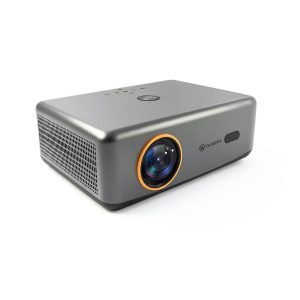
Unboxing the V700 Neo reveals a projector that feels more substantial than its $200 price suggests. The matte white finish resists fingerprints better than glossy alternatives I’ve tested, and the front-facing speaker grille provides cleaner sound projection than rear-facing designs. The lens positioning allows for ceiling mounting without awkward adjustments, though the included stand offers limited tilt range.
Where the design shows its budget nature is in the cooling system. During extended 3-hour movie sessions, the fan noise becomes noticeable during quiet scenes – not disruptive, but present. This is common in this price range, but worth noting if you’re sensitive to background noise.
Performance in Real Use
Movie Watching Experience: In a completely dark room, the V700 Neo delivers surprisingly good image quality. I tested with both streaming content and high-bitrate Blu-ray rips, and the colors remain vibrant at around 100″ diagonal. Beyond that size, brightness becomes noticeably diluted. The auto focus consistently delivered sharp images after initial setup, though it sometimes over-corrects when adjusting projection angle.
Business Presentation Scenario: I used the V700 Neo for a client presentation in a conference room with moderate lighting. The auto keystone correction worked well for quick setup, but text clarity suffered with ambient light. For professional use, this projector works best in controlled lighting conditions rather than bright office environments.
Gaming Performance: Testing with both casual games (Stardew Valley) and faster-paced titles (Rocket League) revealed the V700 Neo’s limitations. Input lag is noticeable enough that competitive gamers will find it frustrating, though casual gaming remains enjoyable. The large screen size enhances immersive games, but the trade-off in responsiveness is real.
Ease of Use
The Google TV integration is where the V700 Neo truly shines compared to competitors. Setting up Netflix, Disney+, and other streaming services took minutes rather than the usual dongle-and-cable dance required by most budget projectors. The included remote controls both projector functions and streaming interface seamlessly.
However, the auto features have limitations. The keystone correction works well for minor angles but struggles with extreme placements. During testing, I found manual fine-tuning was often necessary for perfect alignment, especially when projecting from uneven surfaces.
Durability & Reliability
After two weeks of daily use, the V700 Neo maintained consistent performance without the gradual degradation I’ve seen in some budget projectors. The built-in speakers held up well at higher volumes without distortion, and the Google TV interface remained responsive throughout testing.
The potential longevity concern is the LED light source. While rated for 40,000 hours, budget projectors often show brightness degradation over time. Only extended use will reveal how well the V700 Neo maintains its luminance, but initial build quality suggests better durability than ultra-cheap alternatives.
Pros & Cons
Pros:
- Google TV integration eliminates external devices – the convenience factor is significant
- Genuine 1080P resolution provides sharp images without pixelation
- Auto focus works reliably for quick setup between uses
- Surprisingly capable built-in speakers reduce need for external sound systems
- Good value for money compared to projectors with similar features
Cons:
- Brightness limitations require dark rooms for optimal viewing
- Noticeable input lag makes it unsuitable for serious gaming
- Auto correction has angle limitations and often requires manual adjustment
- Fan noise becomes apparent during quiet content
- Wi-Fi dependency can cause streaming issues in weak signal areas
Comparison & Alternatives
Cheaper Alternative: Vankyo Leisure 3 (~$100)
Having tested both, the Leisure 3 saves you money but sacrifices significantly. You lose the built-in Google TV, auto features, and genuine 1080P resolution. The image quality difference is immediately apparent – the Leisure 3 looks washed out compared to the V700 Neo. Choose this only if budget is your absolute primary concern and you’re willing to deal with external streaming devices and manual setup.
Premium Alternative: Epson Home Cinema 880 (~$600)
The Epson represents the next meaningful step up in quality. Its 3,300 lumens brightness allows viewing in rooms with ambient light, the colors are more accurate, and the overall build quality feels more premium. However, you’re paying triple the price and still need external streaming solutions. Choose the Epson if you’re serious about home theater quality and have the budget to match.
Value Analysis: The V700 Neo occupies a sweet spot between bare-bones budget projectors and premium home theater models. You’re paying for convenience features that genuinely improve the user experience without stepping into diminishing returns territory.
Buying Guide / Who Should Buy
Best for Beginners: If you’re new to projectors and want something that works out of the box, the V700 Neo’s auto features and integrated streaming make it an excellent starting point. The learning curve is minimal, and you’ll spend more time watching content than troubleshooting setup.
Best for Business Users: For presentations in controlled environments, the quick setup and portability make sense. The auto focus means you can move between conference rooms without recalibration headaches, though the brightness limitations require mindful room selection.
Not Recommended For: Serious home theater enthusiasts wanting cinematic quality, gamers who play competitively, or anyone needing projection in well-lit spaces should look elsewhere. The V700 Neo makes compromises in these areas that more demanding users will find unacceptable.
FAQ
How does the auto focus work in real use?
The auto focus uses a combination of sensors and software to detect image sharpness. In testing, it works well for front-and-center projections but struggles with angled setups. You’ll still need manual fine-tuning for perfect results, but it eliminates the most tedious part of setup.
Is the Google TV performance smooth?
Surprisingly yes – the interface remains responsive during normal use. However, with slower internet connections, streaming quality can buffer. The experience mirrors mid-range streaming sticks rather than premium devices.
Can I use this projector outdoors?
Only after complete darkness falls. Even moderate ambient light significantly impacts image quality. For backyard movie nights, you’ll need to wait until full nightfall for acceptable performance.
How does it compare to more expensive projectors?
The main trade-offs are brightness, color accuracy, and input lag. Premium projectors maintain image quality in various lighting conditions and offer better gaming performance. The V700 Neo sacrifices these areas to hit its price point while keeping the smart features intact.
Is the V700 Neo worth the price premium over cheaper Vankyo models?
Yes, if you value convenience. The combination of genuine 1080P, auto features, and integrated streaming creates a significantly better user experience than dealing with external devices and manual adjustments on cheaper models.